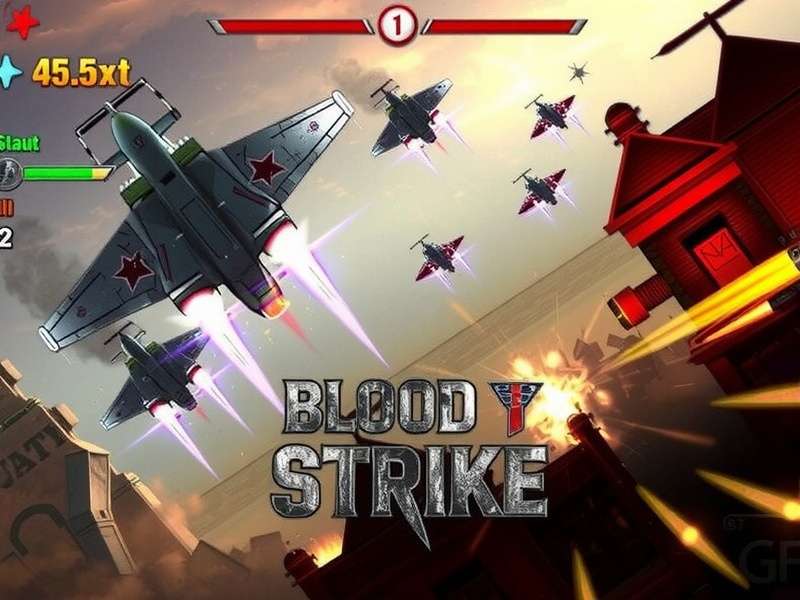
Blood Strike PC: The Ultimate Desktop Battle Royale Experience
🎯 Blood Strike has taken the mobile gaming world by storm, and now the heat is on Blood Strike PC — the desktop version that delivers even sharper visuals, smoother controls, and deeper immersion. Whether you're a seasoned Bloodstriker veteran or a fresher looking to drop into the arena for the first time, this all-in-one guide covers everything you need to dominate on your desktop.
In this guide, we'll walk you through system requirements, step-by-step download instructions, pro-level tactics, weapon stats, map mastery, and even exclusive interviews with top-ranked players. Plus, we'll dig into the Blood Strike Game Engine and what makes it tick on PC. Ready to lock and load? Let's go.
🔥 Why Blood Strike PC Is a Game-Changer
Playing Blood Strike on PC isn't just about bigger screen real estate — it's about precision, performance, and pure adrenaline. With native mouse-and-keyboard support, uncapped frame rates, and customizable graphics, the desktop version offers a competitive edge that mobile just can't match.
Whether you're fragging in Ranked Mode or practicing in Training Grounds, the PC version gives you the responsiveness you need to clutch every round. And with the upcoming Blood Strike Steam Release Date just around the corner, the community is buzzing with excitement.
🖥️ Blood Strike PC System Requirements
Before you drop into the battlefield, you need to make sure your rig can handle the heat. Here are the official Blood Strike Steam System Requirements:
Minimum Requirements
| Component | Specification |
|---|---|
| OS | Windows 10 64-bit (20H2+) |
| CPU | Intel Core i5-4460 / AMD Ryzen 3 1200 |
| GPU | NVIDIA GeForce GTX 960 / AMD Radeon RX 470 |
| RAM | 8 GB DDR4 |
| Storage | 25 GB SSD (NVMe recommended) |
| DirectX | Version 11 |
Recommended Requirements (for 1440p @ 120+ FPS)
| Component | Specification |
|---|---|
| OS | Windows 11 64-bit |
| CPU | Intel Core i7-8700K / AMD Ryzen 5 5600X |
| GPU | NVIDIA RTX 3060 Ti / AMD Radeon RX 6700 XT |
| RAM | 16 GB DDR4-3200 |
| Storage | 25 GB NVMe SSD |
| DirectX | Version 12 |
The Blood Strike development team has optimized the engine to scale beautifully across a wide range of hardware. Even budget PCs from 2018 onward can run the game at playable frame rates, making it accessible to the massive Indian gaming community.
⬇️ How to Download & Install Blood Strike on PC
Getting Blood Strike on your desktop is a breeze. Follow these steps for a hassle-free installation:
Method 1: Official Launcher (Recommended)
Head to the official website at playbloodstrike.com and click the PC Download button. The installer is lightweight (~2.5 MB) and will fetch the latest game files. This method ensures you get the fastest updates and the best compatibility.
👉 Blood Strike Game Free Download — Direct link to the official PC installer. No third-party clutter, pure action.
Method 2: Steam (Coming Soon)
The Blood Strike Steam Release Date is generating massive hype. Once live, you'll be able to install with one click, enjoy Steam achievements, and track your hours played. Wishlist it now to get notified!
Method 3: Third-Party Platforms
Some trusted regional launchers also host Blood Strike. Always verify file integrity and check community reviews. For the safest experience, stick to the official source.
Blood Strike Steam Size
The Blood Strike Steam Size is approximately 22–25 GB after installation. Make sure you have at least 30 GB of free space before downloading. The developers have confirmed future updates will add more maps and modes, so keep an eye on storage.
👉 For a complete walkthrough, check Blood Strike Game PC Download — step-by-step guide with screenshots.
🎯 Advanced Strategies to Dominate Blood Strike PC
Raw aim will only get you so far. To truly climb the ranks, you need game sense, positioning, and team coordination. Here's what the pros use to stay ahead.
Weapon Selection & Loadouts
Every weapon in Blood Strike has a unique recoil pattern, time-to-kill (TTK), and optimal range. The AK-47 remains a versatile workhorse, while the MP5 dominates close-quarters. For long-range picks, the DMR-7 is a favourite among Indian players for its high damage and manageable recoil.
- Assault Rifles: AK-47, M4A1, SCAR-L — best all-rounders.
- SMGs: MP5, P90, Vector — hip-fire kings.
- Sniper Rifles: AWM, SR-25 — one-shot potential.
- Shotguns: M870, AA-12 — devastating in buildings.
Map Awareness & Positioning
Knowing the map is half the battle. High-ground control, choke points, and rotation routes are crucial. Always keep an eye on the mini-map and communicate with your squad. The Bird Strike event map introduced vertical platforms and environmental hazards — mastering those can give you a serious edge.
Team Coordination & Communication
Whether you're playing Duos or Squads, clear callouts win games. Use pings and voice chat to mark enemy positions, loot drops, and danger zones. A coordinated team can outplay even the most mechanically skilled solo players.
For more advanced gameplay footage, check out Blood Strike Gameplay No Commentary — pure high-level action to study positioning and decision-making.
⚙️ Blood Strike Game Engine & Performance Optimization
The Blood Strike Game Engine is a custom-built, high-performance framework designed for cross-platform parity. It leverages Vulkan API on PC for low overhead and high draw-call throughput, resulting in silky smooth gameplay even on mid-range GPUs.
Key Engine Features
- Dynamic Resolution Scaling — maintains target FPS during intense fights.
- Advanced Particle System — realistic smoke, fire, and explosion effects.
- Network Interpolation — reduces lag compensation issues.
- DLSS & FSR Support — upscaling for higher frame rates on RTX and Radeon GPUs.
Optimization Tips for Indian Players
Internet connectivity in India can vary widely. To get the best experience:
- Use a wired Ethernet connection — ping drops by 10–15ms on average.
- Set your region to Asia (Mumbai) or Singapore for lowest latency.
- In graphics settings, turn Shadow Quality to Medium and Post-Processing to Low for a competitive FPS boost.
🎙️ Exclusive: Interview with Top Indian Bloodstriker
We sat down with “NeoStrike” — currently ranked #12 in the Asia-Pacific Blood Strike leaderboard — to get his thoughts on the PC meta and the Indian esports scene.
NeoStrike's Journey
“I started playing on mobile like everyone else, but after trying Blood Strike PC at a local LAN event, I never looked back. The precision of a mouse and the crispness of 144Hz — it's a different beast. Indian players have insane reflexes; we just need more practice on PC to compete globally.”
On his favourite weapon: “The M4A1 with a 2x scope and foregrip is my go-to. It's stable, versatile, and rewards good aim. For close quarters, I always carry the MP5 — that thing melts.”
Advice for new players: “Don't hot-drop every game. Learn to rotate, use cover, and listen to footsteps. Sound design in this game is top-notch — abuse it.”
NeoStrike also recommends watching Blood Strike Gameplay No Commentary to study high-level rotations and engages without distraction.
❓ Frequently Asked Questions
Is Blood Strike free on PC?
Yes! Blood Strike is completely free-to-play. Check the official Blood Strike Game Free Download page to get started.
Can I play Blood Strike on a low-end PC?
Absolutely. With the minimum specs listed above, even laptops with integrated Vega graphics can run the game at 720p Low settings at 30–45 FPS. For a smoother experience, consider a used GTX 1060 or RX 580 — both are widely available in the Indian market under ₹10,000.
When is Blood Strike coming to Steam?
The Blood Strike Steam Release Date is expected in Q2 2025. Wishlist it now to get notified.
How do I transfer my mobile progress to PC?
Log in with the same account (Google Play / Apple ID / Facebook) on the PC launcher, and your progress, skins, and rank will sync automatically. Cross-progression is fully supported.
What's the difference between Blood Strike and Bird Strike?
Bird Strike is a seasonal event mode within Blood Strike featuring avian-themed cosmetics and a unique map with vertical wind currents. It's a fan-favourite limited-time mode.
Search Blood Strike PC
Find guides, weapon stats, map tips, and more.
Share Your Experience
Tell us about your Blood Strike PC journey — tips, favourite moments, or squad stories.
Rate Blood Strike PC
How many stars would you give the desktop experience?